Case study / 3D configurator
Stan: 3D merch configurator built with React and Three.js
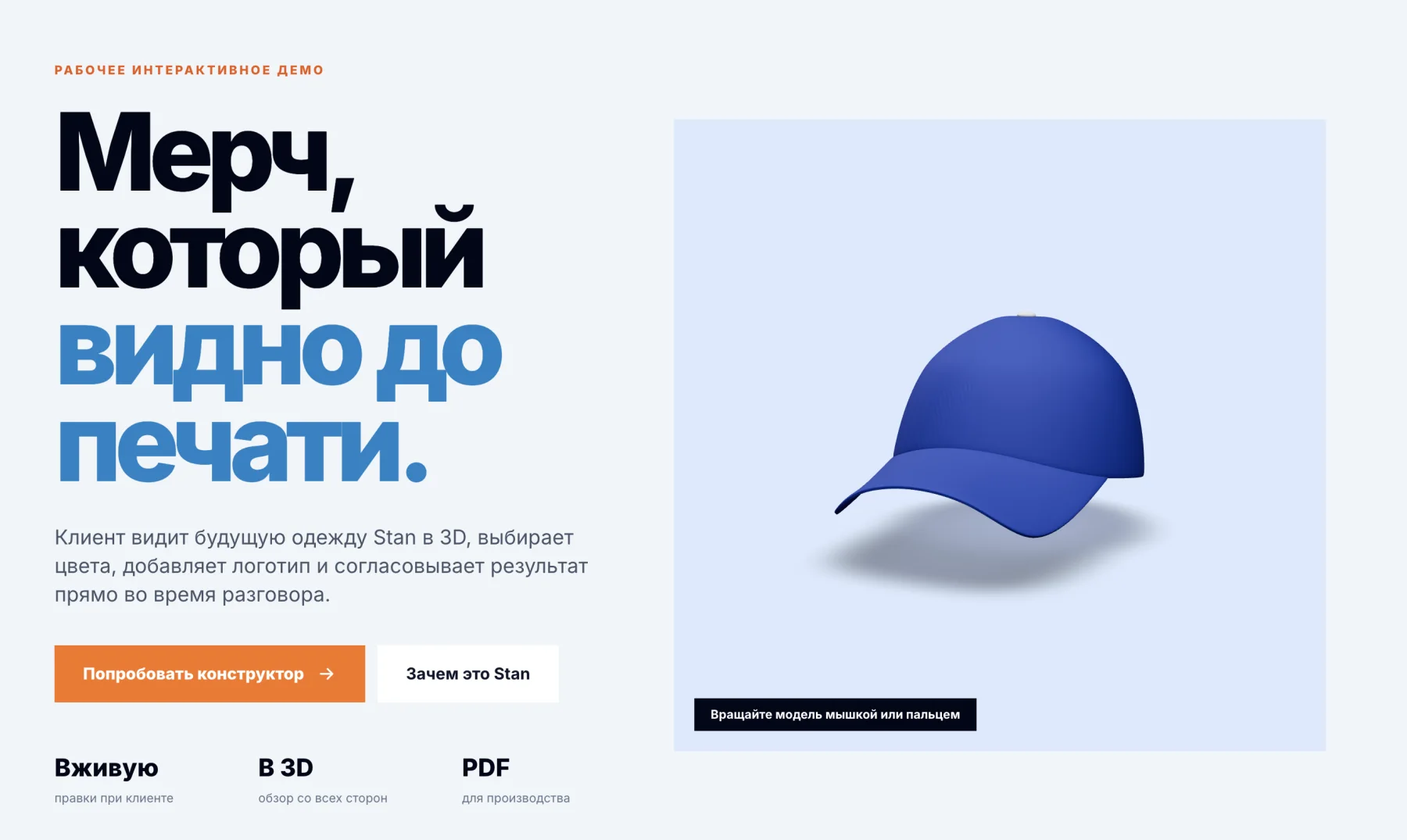
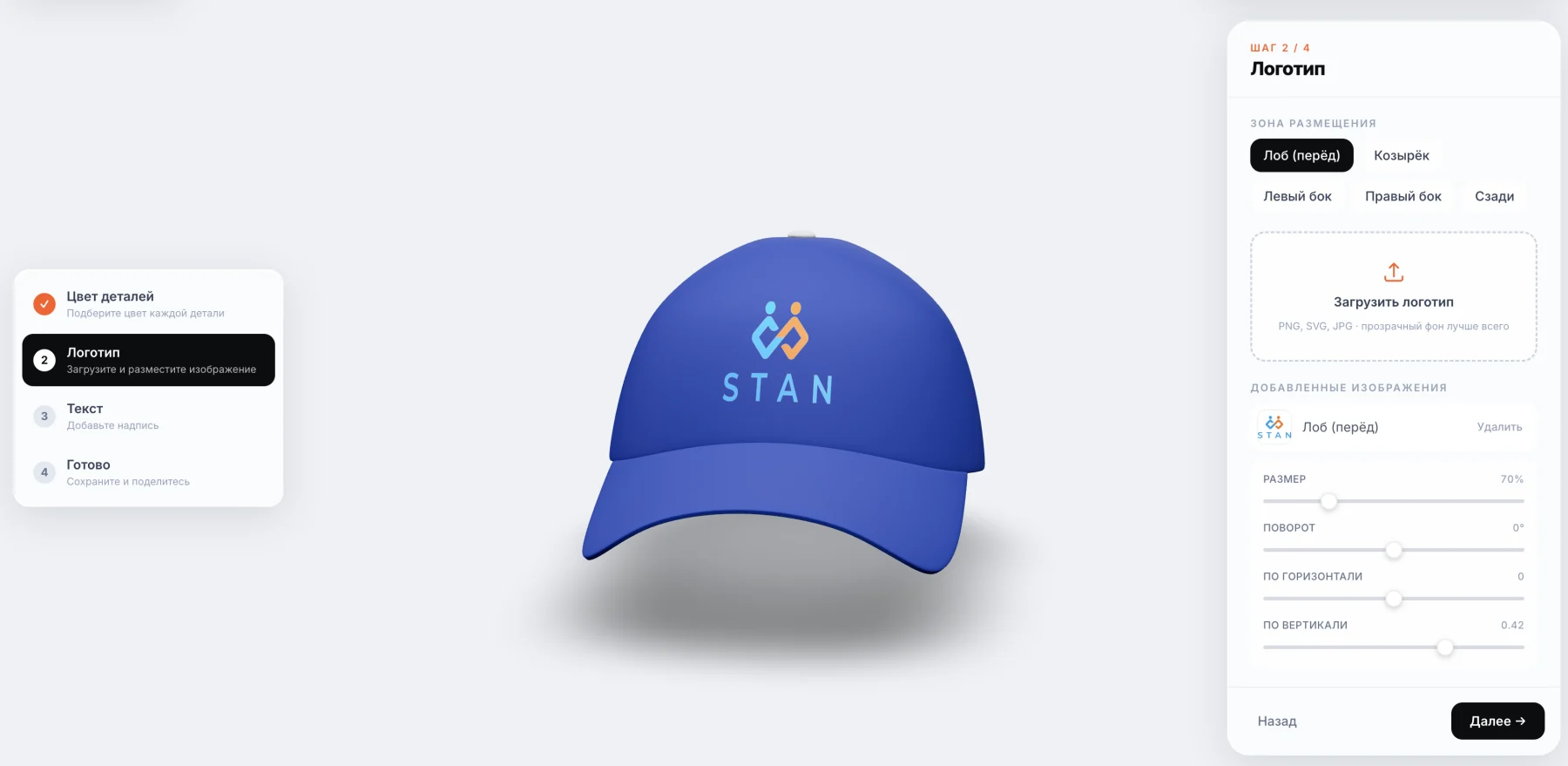
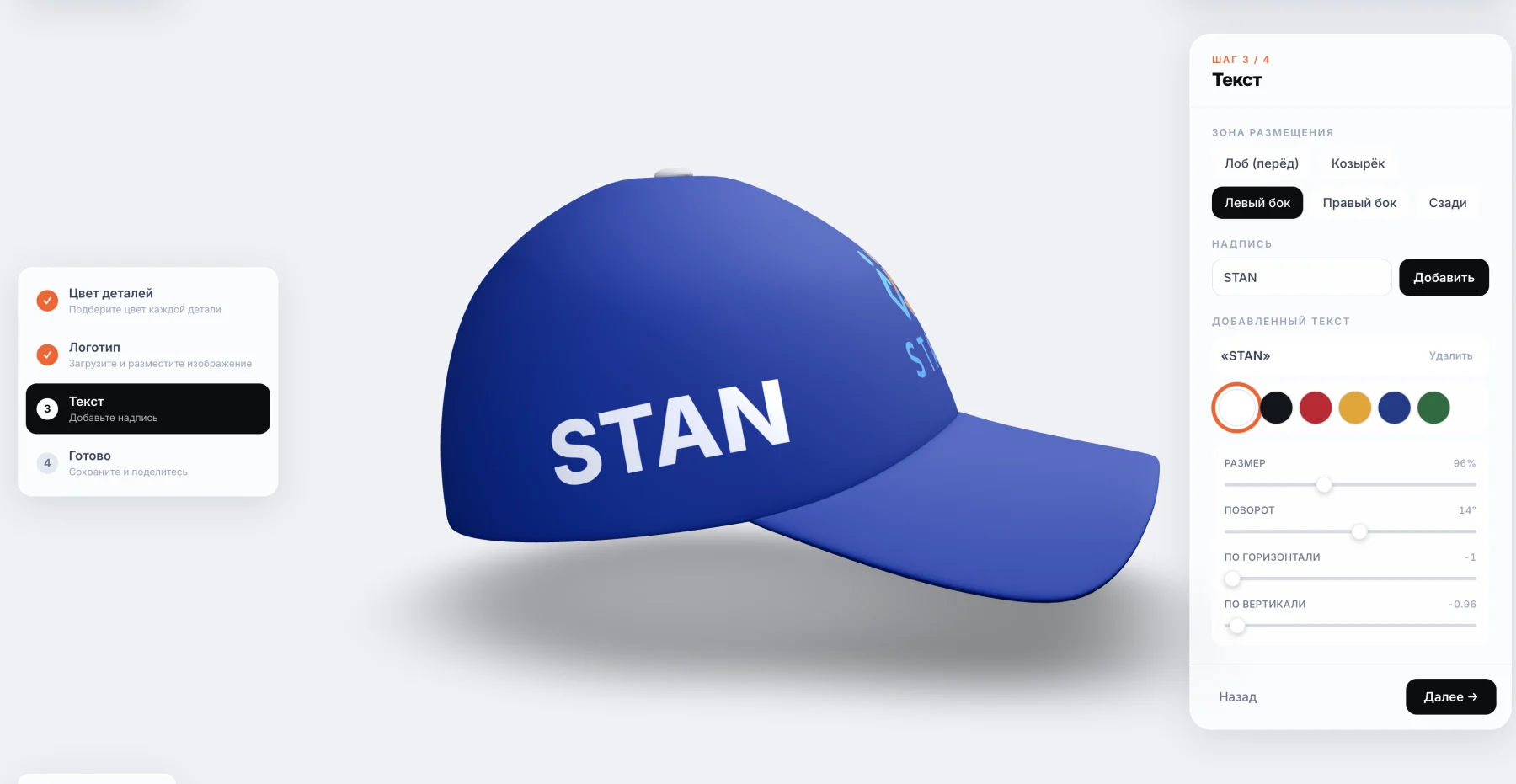
Stan sells custom-printed merch: caps, t-shirts, hoodies, jackets. For the brand I built a 3D product configurator: an interactive in-browser scene where a client recolors the item, places a logo and text, rotates the model 360°, and exports a production-ready PDF. Built solo as a fullstack developer, live in production on its own domain stan-konstruktor.ru.
- Type
- 3D merch configurator, B2B tool
- Stack
- React, React Three Fiber, Three.js
- Role
- Fullstack, solo, end-to-end
- 3D
- 360° rotation, color and print swapping
- Export
- Production PDF, print map
- Sharing
- Configuration encoded in the URL via lz-string
The project and the problem
Stan is a Russian merch brand: caps, t-shirts, hoodies, jackets with custom printing. Sales managers needed to show a product to a client right in a meeting and walk out with a print-ready layout. I built an interactive 3D product configurator that runs in the browser, no installation needed. The client picks an item, recolors individual parts, places a logo and text, and rotates the 3D model 360°. One person from prototype to production, working as a fullstack developer.
How the configurator works
The user-facing logic is straightforward; under the hood it's dense. Pick a model, change the color of any part, drop in a print or text, view the result from any angle in real time. The finished configuration can be saved and shared via a link for sign-off: I pack the entire state directly into the URL using lz-string, no database or account required. That same scene exports a production job sheet as a PDF. I call it the print map for the production floor.
3D engineering: React Three Fiber and WebGL
The 3D layer runs on Three.js over WebGL, and I compose the scene declaratively with React Three Fiber and drei. Configurator state lives in Zustand: active part, selected colors, prints, text. The biggest pain point in projects like this is model weight. A heavy GLTF file kills load times and breaks mobile. I run every model through glTF-transform and meshoptimizer, which cuts geometry and texture size significantly, so the scene with lighting and materials starts fast even on a phone. The PDF is assembled on the fly by jsPDF, straight from the current configuration.
Owning the tool vs. renting a SaaS platform
Many brands rent a third-party SaaS platform for 3D and pay for it every month. Stan got a configurator they own outright. No subscription, no customization ceiling, full control over code and data. The key difference for this use case: the system is built around a print business and generates the print map itself. Off-the-shelf configurators don't do that. They're designed around the product, not around the production floor. That's the real gap between renting a widget and having a tool built for your process.
Building the 3D configurator in stages
I built the configurator iteratively, not as one big release. First, a prototype on a single model: prove that rotation, recoloring, and print placement work without lag. Then a catalog with an admin panel and automatic model validation, so new items can be added without me. Next, the full merch lineup. Finally, the ordering and print layer: URL sharing and PDF export. This order reduces risk. Every stage can be shown and tested in the real world.
What this means for the business
The main effect is clarity. A client sees their merch in 3D during the meeting instead of imagining it from a flat image. Decisions come faster, revision rounds shrink. The print map from the configurator cuts production errors: the floor gets a precise job sheet, not a verbal description over the phone. The brand fills the catalog themselves, no developer needed for each new model. I won't quote conversion numbers here because this is an internal sales tool, not a public store with open analytics. But the direction is honest: 3D drives more engagement than static images.
Project stack
- React
- React Three Fiber
- drei
- Three.js
- WebGL
- Zustand
- Framer Motion
- jsPDF
- lz-string
- glTF-transform
- meshoptimizer
- TypeScript
- Tailwind CSS
- Vite
Questions about building a 3D configurator
What stack powers a 3D configurator?
In this project, Three.js renders 3D over WebGL, and the scene is described with React Three Fiber and drei. State management is Zustand, PDF export is jsPDF, URL sharing uses lz-string, and the build tool is Vite. I didn't reach for a heavy game engine like Unity: for an in-browser product configurator, Three.js is lighter, loads faster, and needs no plugins.
How much does a 3D configurator cost to build?
It depends on the number of models, the depth of customization, and what integrations are needed. A ready-made SaaS platform charges a monthly fee but hits its own limits. Custom development is a one-time budget with full ownership of the code. I give a concrete budget range after a short brief, once it's clear how many items are involved and what exactly needs to work. There's no single price tag here, the projects vary too much.
Can the configurator integrate with a CRM, 1C, or warehouse system?
Yes. The configurator outputs structured data about the selected configuration, and that data can be pushed to a CRM, 1C, a product card, or a warehouse system. The focus in Stan was on production, so the main output is the print map in PDF. I add integrations with accounting or inventory systems based on the specific workflow, once a business already has a clear place for orders and requests to land.
Do you need ready-made 3D models, and who creates them?
Models are required. They're the foundation of the scene. They're produced once: either modeled from scratch or purchased and adapted. After that I optimize geometry and textures for the web using glTF-transform and meshoptimizer, so they load and rotate smoothly on mobile. In Stan the catalog is set up so new items are added through an admin panel with automatic model validation, no code changes needed.
Does the 3D configurator work in the browser and on mobile?
Yes, everything runs directly in the browser with no app to install. WebGL is supported by modern mobile and desktop browsers. The bottleneck is model weight, so I compress GLTF files and keep a close eye on polygon count and texture size. The goal is simple: the scene should start fast and rotate smoothly even on a mid-range phone, not just on a powerful laptop.
Can the configurator generate a production job sheet?
Yes, and for a print business this is often the most important part. In Stan the configurator assembles a production PDF directly from the current scene: which item, which colors, where the print and text go. I call it the print map. The production floor gets a precise job sheet, not a verbal hand-off. The fields and format are configurable to match the specific workflow, so the document fits the real process.
What makes a custom configurator better than a ready-made SaaS platform?
SaaS is faster to launch, but the constraints show up quickly: monthly fees, someone else's limits on customization, your data sitting on their servers. Custom development gives you control over the code, design, and logic, plus specifics built for your process, like the print map in Stan. If the configurator is a one-off widget, SaaS may be enough. If it's a core part of your product and sales flow, building it yourself pays off.
Does a 3D configurator increase conversion?
Honestly: I won't guarantee a specific percentage. The numbers depend on your niche and traffic. What the logic and Stan both show is that an interactive 3D model is more engaging than a flat image. People rotate the product themselves and make decisions faster. Fewer misunderstandings during sign-off, fewer errors on the production floor. It moves the needle on sales, but quoting exact percentages without your own data would be dishonest.