
What changed for people starting out
A basic screen, form or list can be drafted quickly with AI. That changes what a beginner can usefully demonstrate. Explain how you diagnosed an API failure, how somebody recovers from an inaccessible control or how you found a regression in code you did not write. Look for a way to practice those tasks before you get hired.
A Russian-speaking applicant who uses React, TypeScript and Next.js described intense competition even for unpaid internships. I applied daily for two weeks and had 756 records in the applications and invitations section. Those are individual experiences. They are part of why I would run learning and the job search in parallel. Accounts of two senior engineers doing more with AI are examples of how some teams might work. Applicant’s account · My application case study
Who should choose frontend
Try frontend if you are curious about what happens after the interface is on screen: why data disappears, where focus goes and how a change affects the person using the feature. Ask someone to reproduce a problem and come back after you fix it. The experience will help you decide if you want to do more of this work.
If you need income in the next few weeks, keep your current source of income while you test the direction. If data or debugging appeals to you more than interface work, try a backend or QA task on the same feature. Compare entry routes into tech
What to learn and show
- Browser, HTML, CSS and JavaScript. Build a form and a list. Check keyboard use, narrow screens and input events.
- HTTP, TypeScript and one framework. Add loading, empty, failed and recovery states. Choose React or Vue using roles you can apply to.
- Debugging and release. Reproduce a defect in existing code, fix it and leave verification steps.
- Experience alongside applications. Take a small task in open source, freelance work or a project with outside review. Record what you changed after feedback. Frontend roadmap · Building experience outside an internship
What to demonstrate when a generated screen looks finished
Around 22:13 in the supplied discussion on AI and architecture, the speaker describes a team that uses models to help experienced engineers handle larger changes. At around 22:40, the discussion turns to the difficulty of developing less experienced engineers in that environment. This is one possible way a team can work. It raises a good interview question for a new developer: who will give you feedback on real tasks, and how much of that work will you own?
Consider two job listings. One asks for help turning designs into pages, with an engineer available to review early work. The other asks you to maintain an existing application, investigate support reports, and coordinate API changes. The names of the roles might sound similar. Their first assignment would feel different. Save five listings you could realistically apply for. Write down what the team actually asks someone to do and whether you have an example. Read past the first stack keyword. Your largest gap might be investigating a failed request or explaining a change in review. Those are smaller, more testable goals than finishing one more general course.
Before investing in a programme, try taking a finished-looking interface through one common failure. The worked example below uses a registration form with a simulated backend. You can repeat every step without an account or a deployed server. Check the behavior from the point of view of the person trying to send the form.
A small exercise: why does this form submit twice?
Open the local form exercise. If downloaded, add ?lang=en to the file address if your browser opens it in Russian. In the first menu select Draft, then choose 200 for the first response. Double-click Submit. Two rows appear in the log. In a real app two browser requests might cause two records to be created. Here the app runs entirely in the browser and the log records simulated requests. No form data is sent.
Now choose 503 as the first response. Enter “Check portal access” and click once. The interface reports a failure after the delay, but the field is empty. Imagine that the person had typed a detailed incident report. They would have to recover the text themself. The screenshot shows the state after this simulated server failure. Try the interaction first, then compare your result with the image.
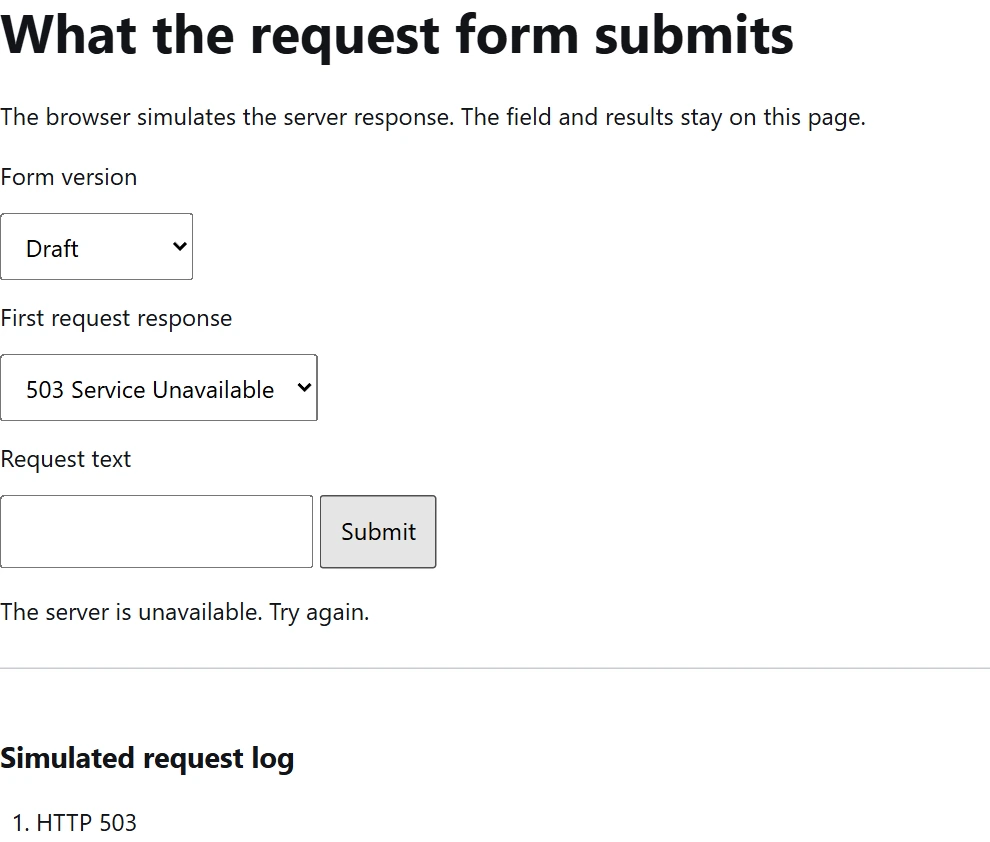
Write down what a correct version should do. A second click while the first request is pending sends no new request. After a temporary failure the field keeps its contents and the person can retry. After a successful submission, show confirmation and clear the field. On a team, agree who handles duplicate requests at the server. Changing the frontend reduces one common cause. Other clients and multiple tabs still need a server-side policy in a real application if duplicating the action matters.
Compare the code and repeat the same checks
The fixed example counts requests still in progress. At the start of the submit handler it returns early if a request is already running. After the response, it releases that lock. A failed response keeps the value and gives the user a retry. A successful response clears the field and displays confirmation. You could implement the same approach using the state of a React or Vue component. The important check is whether a second action can start before the first response finishes.
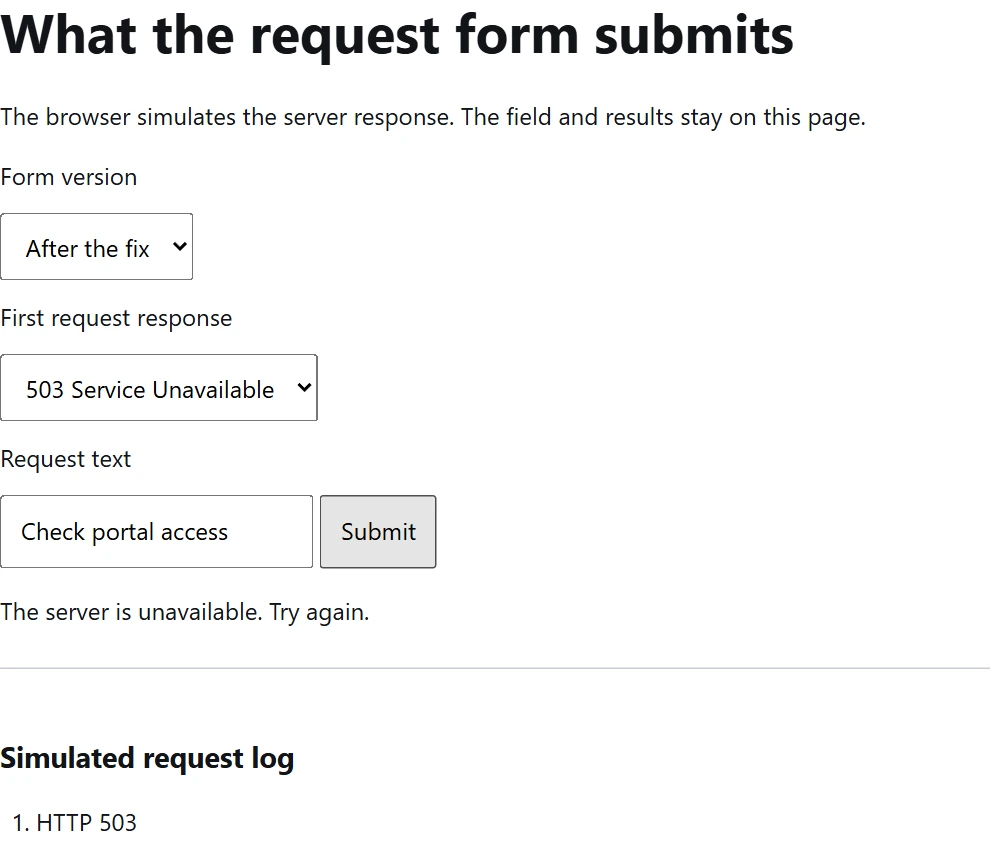
In the exercise, choose After the fix. Repeat the double-click with a 200 response. The log now has one row. Switch to 503, submit again, and check that your text stays visible. With the button focused, press Enter to try again. The next line says 200 and the field is cleared. Resize the window to the width of a small phone and use Tab to move through the controls. The status text is also available to assistive technology as a status message. This screenshot shows the successful preservation of the draft before the retry.
| Action | Expected result | What the check tells you |
|---|---|---|
| Double-click while a request is pending | One new request | The same interaction does not begin again while it is active |
| Submit and receive a 503 | The field and retry stay available | A temporary failure is recoverable |
| Retry after that failure | A 200 response and an empty field | Form state follows the outcome |
| Tab through the form in a narrow window | The controls remain usable | The flow works without a mouse or a wide layout |
Take this approach to a real project
Open the Network panel in DevTools, preserve the log across navigation, and use a slow profile when reproducing the behavior. Watch which requests start and whether they run at the same time. Check the response status. For a controlled failure, configure a test service or use an approved test fixture. Record the setup and the smallest set of steps a teammate can follow. If you plan to share the log or make a screenshot, make sure it contains no tokens or private data.
Before asking a model to implement the fix, write the expected before-and-after behavior in plain language. If a generated change looks right, run your original reproduction steps and one nearby case. Try editing the text before you retry, for example. Try losing connection altogether. Run through the flow with just a keyboard. This is also a good moment to ask whether an existing component handles errors in the same way. A concise pull request with these checks gives the reviewer something specific to confirm.
How to show this work in an interview
Prepare a link, a short reproduction, and a result the interviewer can observe. You can say, “The original form could send two requests and lose the text when an API call failed. I wrote down the expected behavior, guarded the pending request, and tested repeat clicks and recovery. Here is how to reproduce both results.” Explain the limits of your example. In this case, the responses are simulated. In an actual product you would talk to the API owner about which operations must be safe to retry.
You can make this decision about learning frontend with two evenings of work. Spend the first one reproducing the problem and understanding it. Use the second to show the fix to someone who did not build it. Ask them what they clicked and what happened. If tracing that sequence was interesting, you have a reason to continue and something real to build on. If another part of the exercise was more engaging, try the same product problem from the perspective of testing or backend work before committing to a course.
One example to show in an interview
Drop the connection while submitting a form. Check that values remain and someone can retry. Try a double click while the request is pending. Fix one failure and repeat the same steps. Keep the input, expected result and your decision in the README. This is useful work to discuss even if AI helped build the initial version.
My conclusion. Frontend is worth learning if you want to do the work itself. Start applying to suitable roles as you build things you can show. If you consider paying for a course, decide which help you actually need, such as regular code review or feedback on your own project.
Need help with your website?
Development and SEO services →