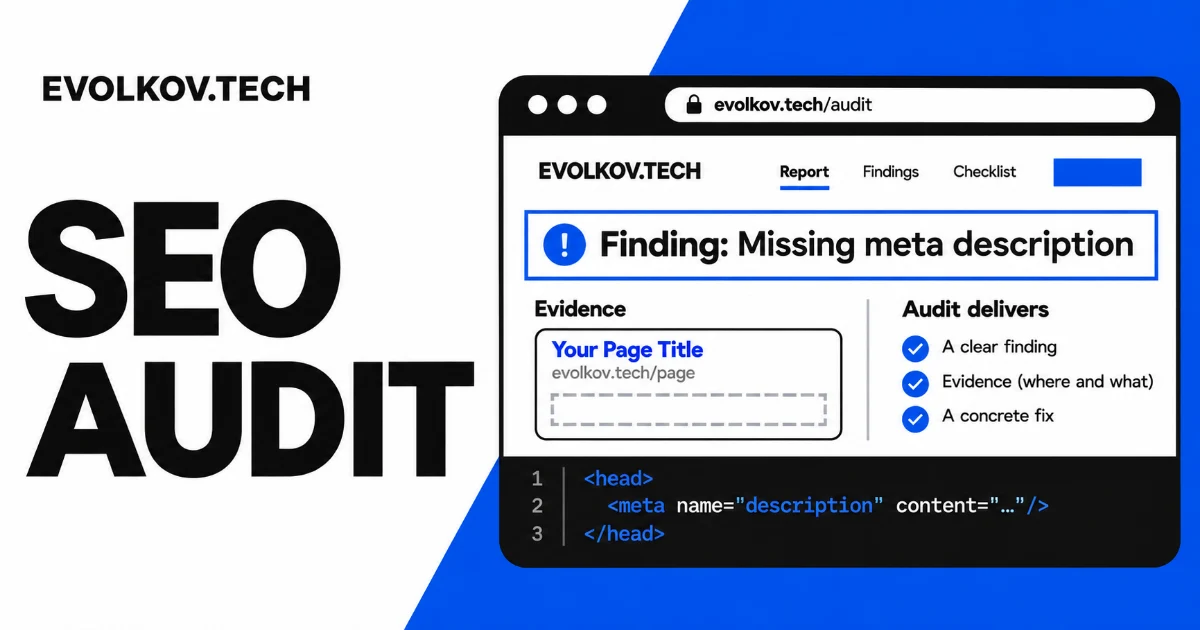
- Inputs: agreed scope, source exports, access level, and what is explicitly out of scope.
- Outputs: findings with URLs, observations, reproduction notes, priority, and recheck conditions.
- Decision: accept, ask for clarification, or reject the report if the evidence is incomplete.
- Rule: acceptance means the deliverable is complete, not that the site has already improved.
1. Start with scope, sources, and exclusions
The first thing to check in an SEO audit report is scope. A useful report says which site area was reviewed, which data sources were used, and what was excluded. That protects you from a report that looks detailed but actually covers only a small slice of the site.
For acceptance, ask for three things in writing: the audited URLs or templates, the source materials, and the exclusions. If the report used only exports, say so. If it relied on read-only access to analytics or Search Console, say that too. If a section was not checked, it should be marked as unknown or out of scope, not silently treated as clean.
That distinction matters because an audit report is not the same as implementation or performance proof. It is a documented observation set with a defined boundary.
| Minimum deliverable | What you should see | Why it matters |
|---|---|---|
| Scope | URLs, templates, sections, dates | Prevents hidden gaps |
| Sources | Crawls, exports, read-only tools, manual checks | Shows where evidence came from |
| Findings | Observed issue tied to a URL or template | Makes the report actionable |
| Priority | Reasoned ordering, not a score alone | Shows what to do first |
| Recheck | How the issue will be verified again | Closes the loop |
2. What the report should contain
A buyer-friendly SEO audit report should contain a short executive summary, a list of findings, evidence for each finding, priorities, and a clear next action. If it is only a list of problems, it is incomplete. If it only gives recommendations without proof, it is also incomplete.
The cleanest format is:
- What was checked.
- What was observed.
- What was reproduced or verified.
- What is unknown.
- What should be done next.
That structure keeps the report useful whether you are handing it to an in-house developer, an agency, or a product team. It also makes acceptance easier because each finding can be checked against an agreed pattern.
For procurement, it helps to ask for editable delivery files, not just a slide deck. The practical bundle can include an editable Markdown checklist, four JSON exports, and the written report itself: editable checklist, before inventory, before report, after inventory, and after report.
Those files are not a substitute for the report; they are the evidence trail that makes the report auditable.
3. A complete worked finding: CAN-01
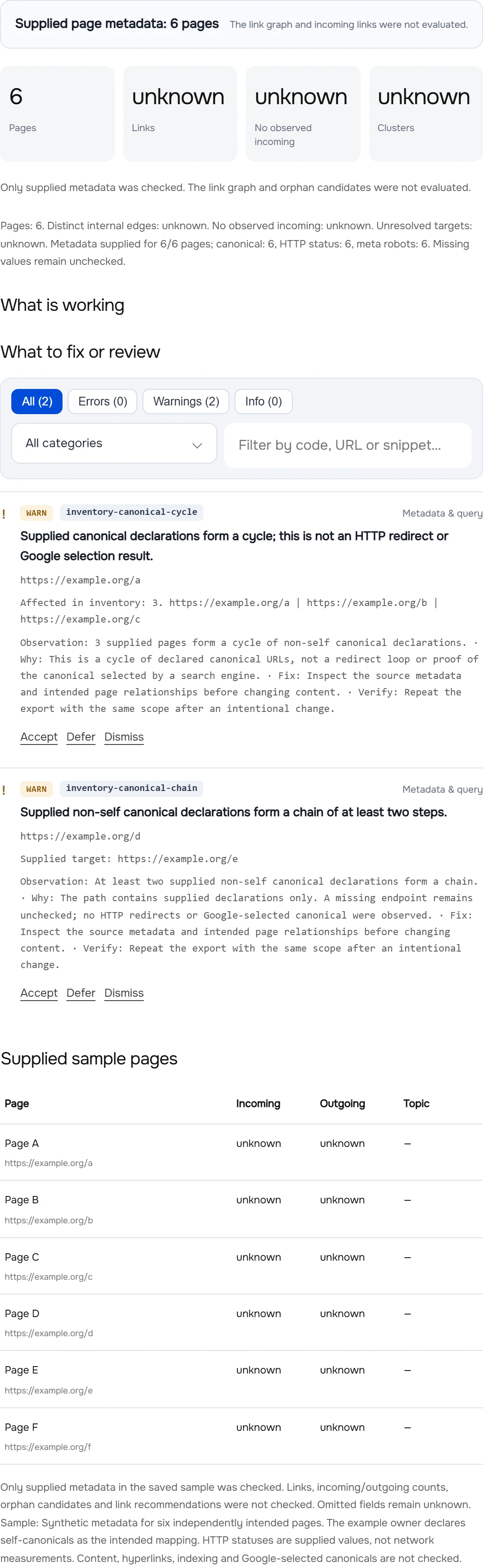
CAN-01 is a worked audit entry based on a genuine Reproleaf report of six synthetic example.org records. It is not a client audit or a deployed fix. The entry concerns the cycle; the full attached report also contains a separate chain observation.
| Report field | Example entry |
|---|---|
| ID and observation | CAN-01. The supplied canonical values form a cycle: /a points to /b, /b to /c, and /c to /a. |
| Exact URLs | https://example.org/a, https://example.org/b, https://example.org/c. |
| Evidence scope | Six metadata records. This cycle concerns three records; /d, /e and /f belong to the separate chain example. |
| Reproduction | Inspect metadata.canonical in the original JSON and analyze the inventory in Reproleaf. The full report records one cycle group and one chain source. |
| Intended behavior | The example owner declares all six pages independent and intends self-canonical targets. Confirm that intention from page content and purpose on a real project before changing anything. |
| Proposed action | After confirming intent, correct the canonical source for affected pages. If a shared template emits the value, identify its other affected pages before release. |
| Recheck condition | Capture the same intended scope again and verify the expected targets. Retain original values, new values and the repeat report. |
| Unknowns | Live HTTP responses, rendered pages, indexing, Google-selected canonicals, traffic and payback. The supplied JSON check did not measure these. |
| Priority and estimation | Agree after reviewing page purpose, template coverage and dependencies. This evidence does not assign monetary loss or urgency automatically. |
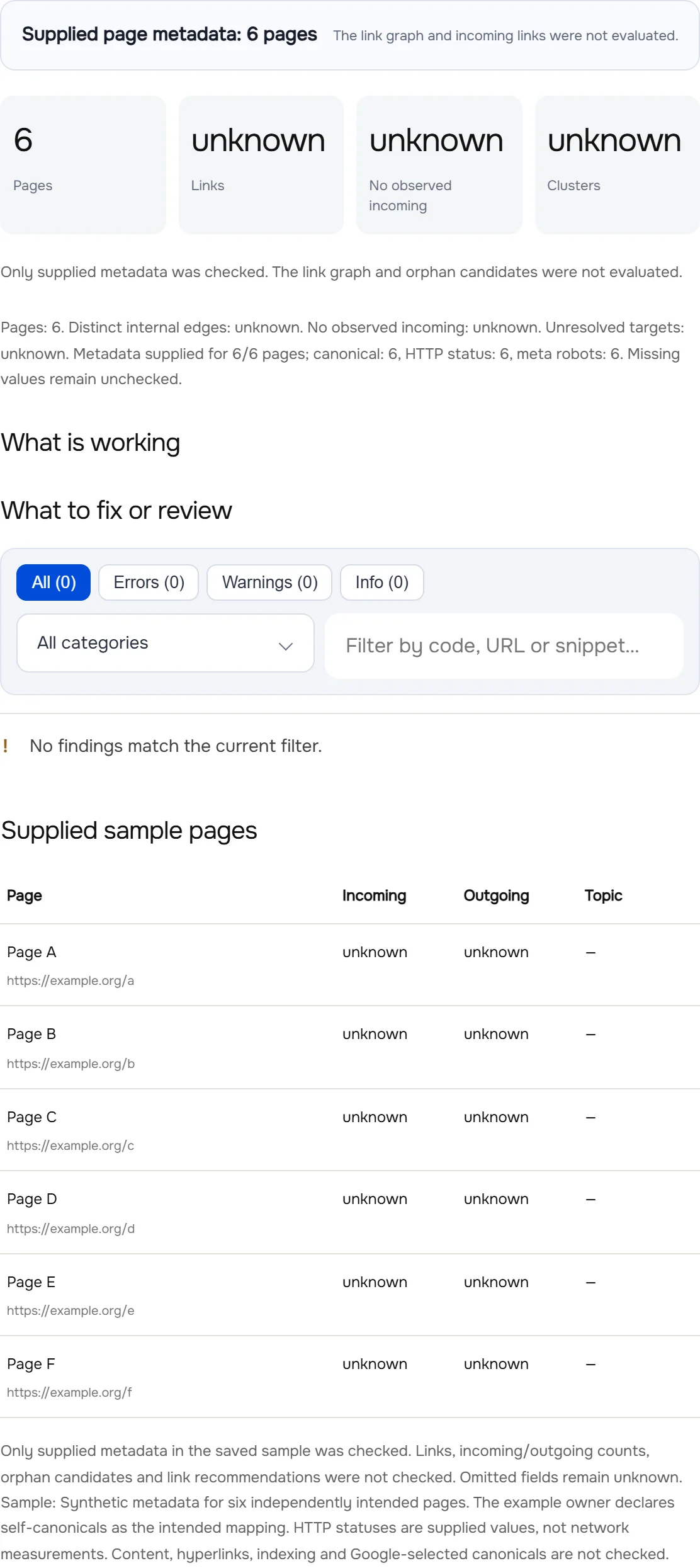
The full before report contains two observations, not two affected pages or two canonical edges. In the after data all six declarations target their own URLs, and the repeat report has no cycle or chain observation. This is a supplied-data example, not evidence that a website was changed.
The canonical audit guide provides the exact inputs and steps for reproducing this example.
4. How to read priority without fake urgency
Priority in an SEO audit should be based on observed condition, dependency, and risk to the business task. It should not be presented as a traffic forecast or a dramatic score. A report can say what is urgent, but it must show why.
Use this order of reasoning: first, does the issue block indexing or correct interpretation; second, does it affect a known revenue or publishing template; third, what depends on it; fourth, how much effort is unknown. That is enough for a practical queue.
Good priority writing names the affected template, the dependency, and the next team that must act. For example: a canonical issue on a product template is not just “high priority.” It is “priority because it affects the product template, depends on template logic, and should be resolved before a crawl recapture.”
Do not accept a report that ranks items with no explanation. A number can be attached later, but the acceptance document should stand on its own even if no scoring model was used.
- Known affected template: article, product, category, service page, or another specified template.
- Business task: indexability, duplicate control, crawl efficiency, or template clarity.
- Dependency: CMS field, server rule, routing logic, or content update.
- Effort unknown: say so when the report cannot safely estimate implementation size.
5. Verification should separate report, fix, and search outcome
Verification is where many audit reports become misleading. The report itself is not the fix, and the fix is not the search outcome. Acceptance should keep those three things separate.
The audit report says what was found. The implementation changes the site. The search outcome is what happens later in crawling, indexation, or visibility. These do not always happen on the same day, and they should not be merged into one claim.
The safest acceptance note includes the verification method, the scope of the rerun, and the condition under which the issue is considered resolved. If the rerun is only metadata-based, say that. If the report cannot verify live search behavior, say that too.
A report is strong when it states both the observed before-state and the exact way the after-state will be checked again. The result is a clear chain from finding to retest.
For contextual method reference, see the service page at technical SEO service, the methodology page at Reproleaf methodology, and the canonical-specific guide at canonical tag audit.
Reproduce the example in Reproleaf: select Site inventory and analyze the original and updated JSON in sequence. On a live site, capture fresh data after changing the source template.
6. A practical acceptance table
Use the following table to sign off the report itself, not the implementation or the later search result.
| Status | Use when | Example of a return for clarification |
|---|---|---|
| accepted | The finding, evidence, scope, and next step are all clear | — |
| needs clarification | The report names a problem but the observation or scope is incomplete | “Please add the exact URL set and the repeat-check condition for CAN-01.” |
| out of scope | The item was not part of the agreed work | “This language-performance issue was not included in the accepted scope.” |
| not checked | The report explicitly says the item was not reviewed | “The report does not claim mobile rendering was checked.” |
A good acceptance note also records who owns the next step. If the fix belongs to engineering, say so. If the issue is only to be retested after a content or template change, say that. If a section was not tested because access was limited, that should be written as a limitation, not hidden as success.
The important procurement rule is simple: accept evidence, not promises. A report can be complete even when it says “unknown” in places. What matters is that unknowns are named instead of disguised.
7. Access, credentials, and cost drivers
An initial audit should usually require read-only access only where access is needed: for example, exports from Search Console or analytics, or a crawl of publicly available pages. It should not require passwords to systems that do not need to be touched. If additional access is requested, it should be explained before extras begin.
Before agreeing to anything beyond the base scope, confirm three things: which systems are read-only, which are export-only, and which would require implementation access. That prevents confusion between the audit phase and the change phase.
Budget drivers should also be agreed before the work starts. The main variables are the number of templates, the amount of evidence that must be checked, whether the report includes implementation support, and whether the scope includes a recheck. Those are contract questions, not legal advice, and they should be settled plainly.
Do not let the report blur the line between deliverable and extra work. If the audit only covers observation, the report should not imply that the site has already been fixed.
- Read-only: enough for an initial audit when the data source supports it.
- Extra access: only if implementation or deeper verification is explicitly part of the agreement.
- Cost drivers: templates, exports, depth of evidence, and recheck scope.
Google recommends read-only Search Console access at the audit stage and discussing the proposed work. See its guidance on hiring an SEO. The acceptance template here is a proposed working document, not a Google-mandated standard.
8. FAQ
Audit versus implementation: what is the difference?
Audit means identifying and documenting issues with evidence. Implementation means changing the site. A report should not pretend those are the same service, and acceptance should not treat a report as a deployed fix.
Why is an export better than a vague “full audit” claim?
An export makes the scope auditable. You can see what was actually checked and whether the after-state was compared against the same fixture. That is much easier to accept than a general statement with no evidence trail.
Can a manual review replace a paid tool?
Sometimes for a small site, yes. But the report should say what method was used and what it cannot prove. A manual review can confirm a problem, but it may not provide the same breadth or repeatability as a crawl export.
How do I accept a partial scope?
Mark the covered items as accepted and the missing items as out of scope or not checked. The report should name the gap instead of pretending the missing part was reviewed. That is especially important when a task is intentionally limited to a fixture or one template.
Why can’t an audit guarantee growth?
Because an audit only controls what can be observed and improved in the technical layer. Growth also depends on content, demand, competition, and authority. A report can support better decisions, but it cannot guarantee rankings or traffic.
9. Next step: what to send before the audit starts
If you want a usable audit report, send three things first: the site URL, the specific task you want checked, and the scope you expect to be covered. If there is a known template, include it. If there is a time window or a release context, include that too. Do not send passwords in the initial submission.
For contextual reading, the service overview is here: technical SEO service. The working method is here: Reproleaf tool and methodology. If you need a practical follow-up to the canonical example above, use the downloadable acceptance checklist and the four report files listed in the deliverables section.
Submit the URL, the task, and the scope, and I will turn that into an audit plan and a clear estimate for the report and any optional implementation work.
Need help with your website?
Development and SEO services →