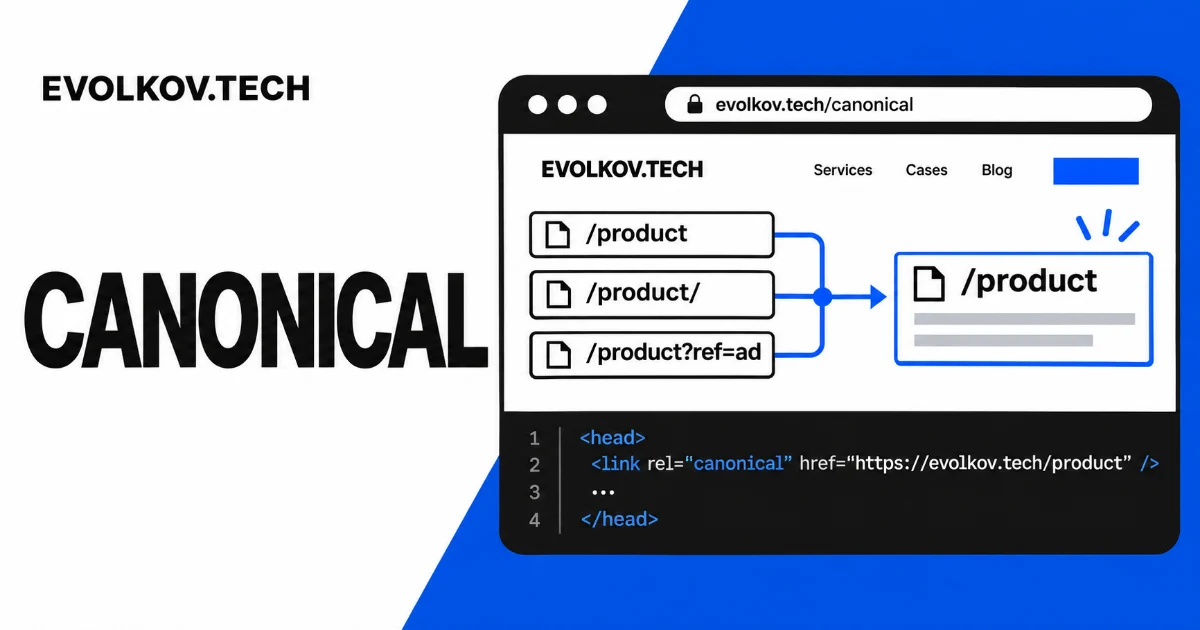
Start with the intended target group
Start by comparing the declared canonical target with the page group it is meant to represent, then look for loops or chains, edit the HTML or CMS source that emits the tag, and rerun the same scope.
This is a worked audit with six synthetic page records published in Reproleaf, not a live crawl or client case. The sample is metadata-only and uses supplied illustrative status and robots fields.
Open the main workspace first: Reproleaf.
What a canonical audit decides
A canonical audit answers one narrow question: what URL does each page declare as its preferred version?
That is different from redirect checking, content review, or indexing validation. A canonical declaration is a signal for consolidating duplicate or similar URLs. It is not an HTTP redirect and it does not guarantee Google will select the same URL.
For the official guidance on that distinction, see Google Search Central.
Keep declarations and other signals consistent. For the local workflow and limitations, see Reproleaf methodology.
Choose intended targets before editing
There are three practical decisions in this case.
- If pages are independent and serve different purposes, self-canonical is usually the intended declaration for that set.
- If pages are genuine duplicates or close variants, choose one preferred target after reviewing content and purpose.
- If the intended target is not present in the supplied data, fetch or add evidence instead of inferring a 404.
Non-self canonical is not inherently wrong. It becomes a problem when the declared mapping conflicts with the page group you actually intend to maintain.
For example, a correct HTML declaration looks like this:
<link rel="canonical" href="https://example.org/e">Reproduce the first run from the downloaded inventory
The public UI labels used in this workflow are simple: Site inventory, Or paste the JSON / XML inventory, and Run analysis.
For this sample, use the downloaded BEFORE inputs and report together:
Copy the inventory JSON into the input area, run the analysis, and compare the report with the source records. The downloaded JSON is analyzed locally.
The sample contains six independently intended page records. Internal hyperlink structure, page content, indexing, and Google-selected canonicals are not checked in this metadata-only run.
Inspect the declared chain and cycle
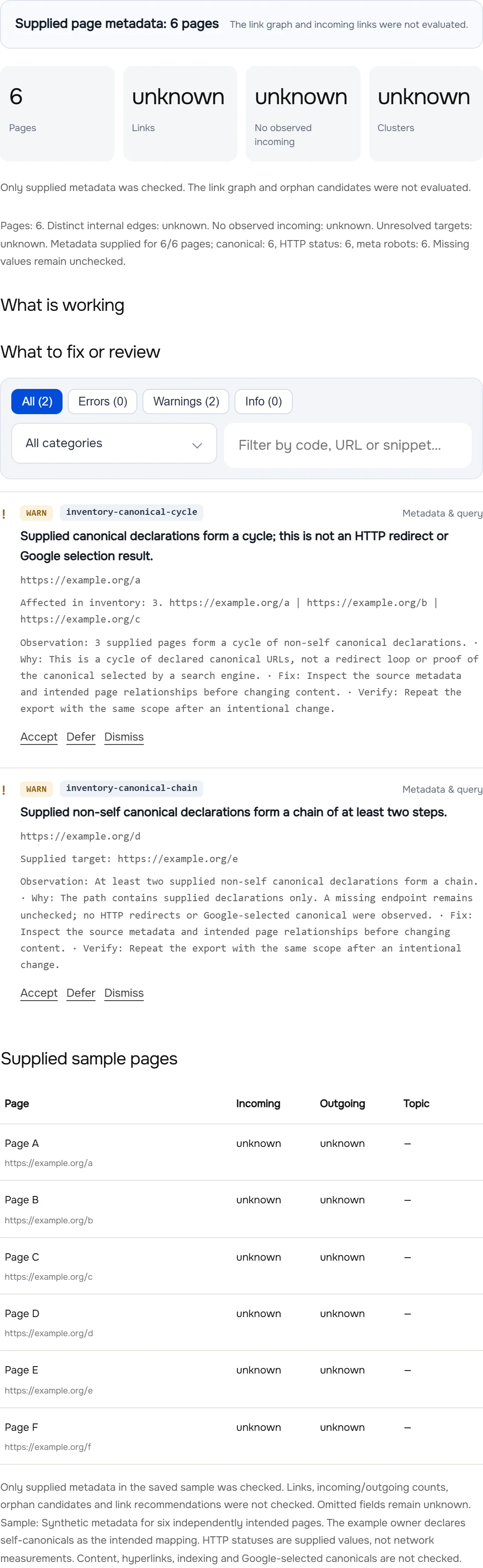
The BEFORE sample contains two patterns in metadata.canonical.
a -> b -> c -> ad -> e -> fThat is one canonical cycle group and one canonical chain source in the supplied report. A chain is a declaration issue, not an HTTP redirect issue.
Important detail: f is already self-canonical in the BEFORE sample. When the owner rewrites every canonical field to the full URL form, six serialized values change, but only five semantic source-to-target relationships change.
Edit the real source, then rerun the same scope
Do not stop at editing the downloaded JSON. Change the canonical in the actual HTML, CMS template, or rendering layer that publishes the page, then export the same scope again and rerun the audit.
In this sample, the owner explicitly declares six pages independent, so the AFTER mapping sets each canonical to its own full URL.
| State | Canonical cycle groups | Canonical chain sources |
|---|---|---|
| Before | 1 | 1 |
| After | 0 | 0 |
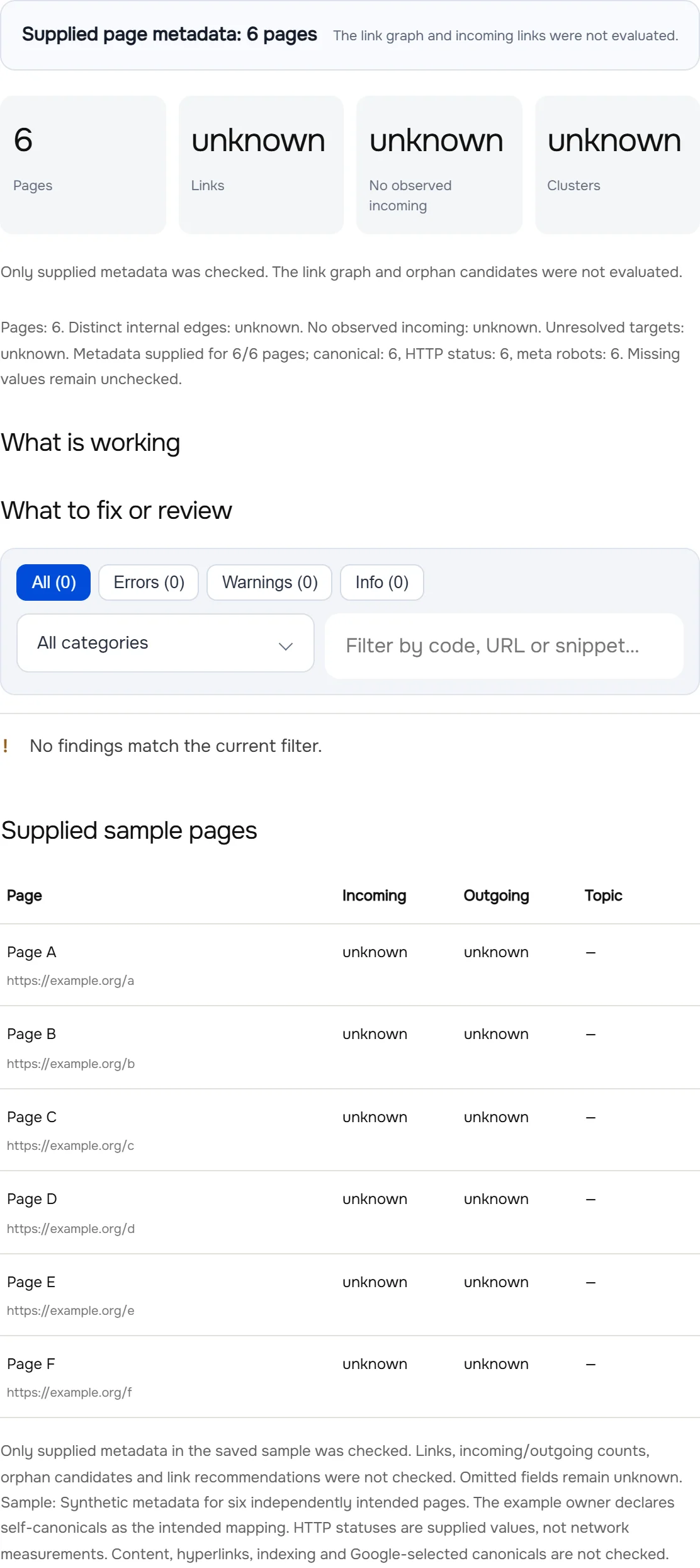
The AFTER report shows zero findings for the declared scope. The two checked structural patterns are absent in this supplied sample. It does not prove indexing, ranking, traffic, or the selected canonical in search results.
Production acceptance checks before you close the task
For a real deployment, verify the full path from source to output, not just the JSON export.
- The page source or CMS emits the intended canonical target.
- Template logic does not rewrite the value unexpectedly.
- The preferred URL is available at the intended address.
- Sitemap URLs are consistent with the version you want crawled.
- Internal links support the same preferred target where appropriate.
If you need the adjacent structural check, use internal linking audit. If the task is specifically about an HTTP path problem, use redirect chain checker.
For a broader implementation review, see technical SEO services.
Control observation from the same analysis engine: when everything is self-canonical except E to F, the structural report can still show zero cycles and zero chain sources. That does not satisfy the owner’s declared intent for E, so zero structural findings is not the same as “fixed.”
Practical questions from this audit
Do canonical chains mean redirects? No. A canonical declaration does not redirect a visitor; inspect HTTP responses separately.
Why can zero findings still leave the wrong target? E can point directly to F without creating a chain or cycle, even when the owner intends E to be independent. Compare declarations with the intended page groups as well as the structural report.
Should every page declare itself? Not automatically. Review genuine duplicates and choose a preferred version; the six independent pages in this sample are a specific declared decision.
After deployment, inspect the published HTML and target availability. For important URLs, also inspect Google’s selected canonical in Search Console URL inspection; this local report does not contain that information.
In Search Console URL Inspection, read the Google-selected canonical in the indexed-version report. The live URL test cannot predict which canonical Google will select.
On Next.js App Router sites, inspect metadata inheritance and dynamic paths using How to set canonical metadata for dynamic Next.js App Router pages.
Need help with your website?
Development and SEO services →