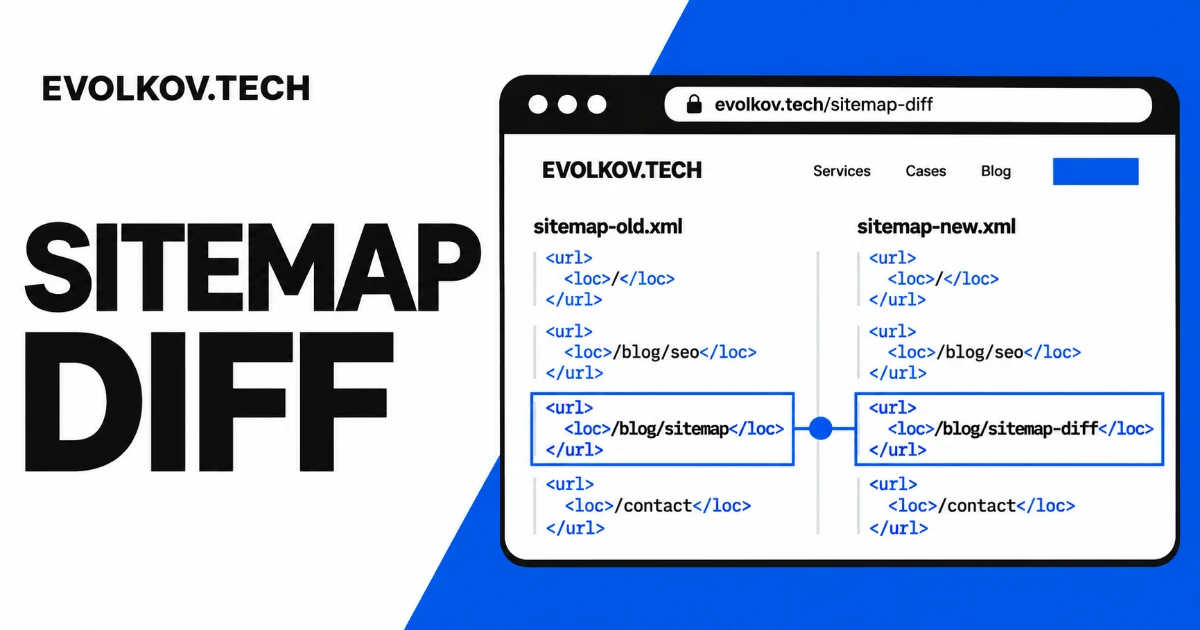
Compare the URL lists before changing the website
Save the old XML and the new XML, compare <loc> locations, and review added and removed URLs before you change the real website.
For context, Google notes that a sitemap can help discovery, but it does not guarantee crawling or indexing. If you want background on sitemap basics, see Google Search Central: Sitemaps overview.
For the workflow and related tooling, you can also review sitemap checker and Reproleaf methodology.
Example data in this article is synthetic; the actual tool reports and screenshots are genuine.
Files for reproducing the example:
- Download before.xml
- Download after.xml
- Download en-inventory-report.json
- Download en-comparison-report.json
- Download en-comparison-report.csv
The two XML files and their URL differences
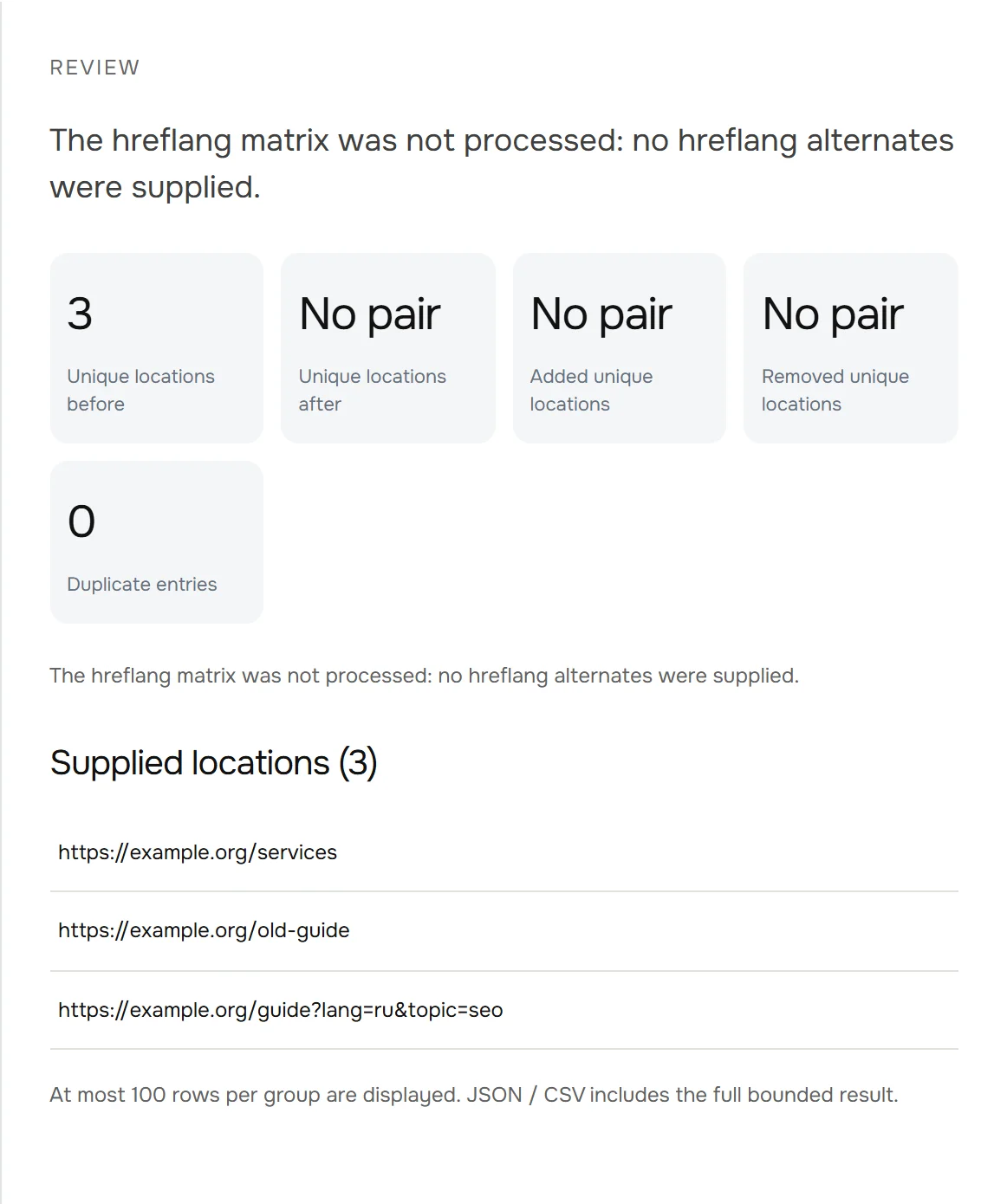
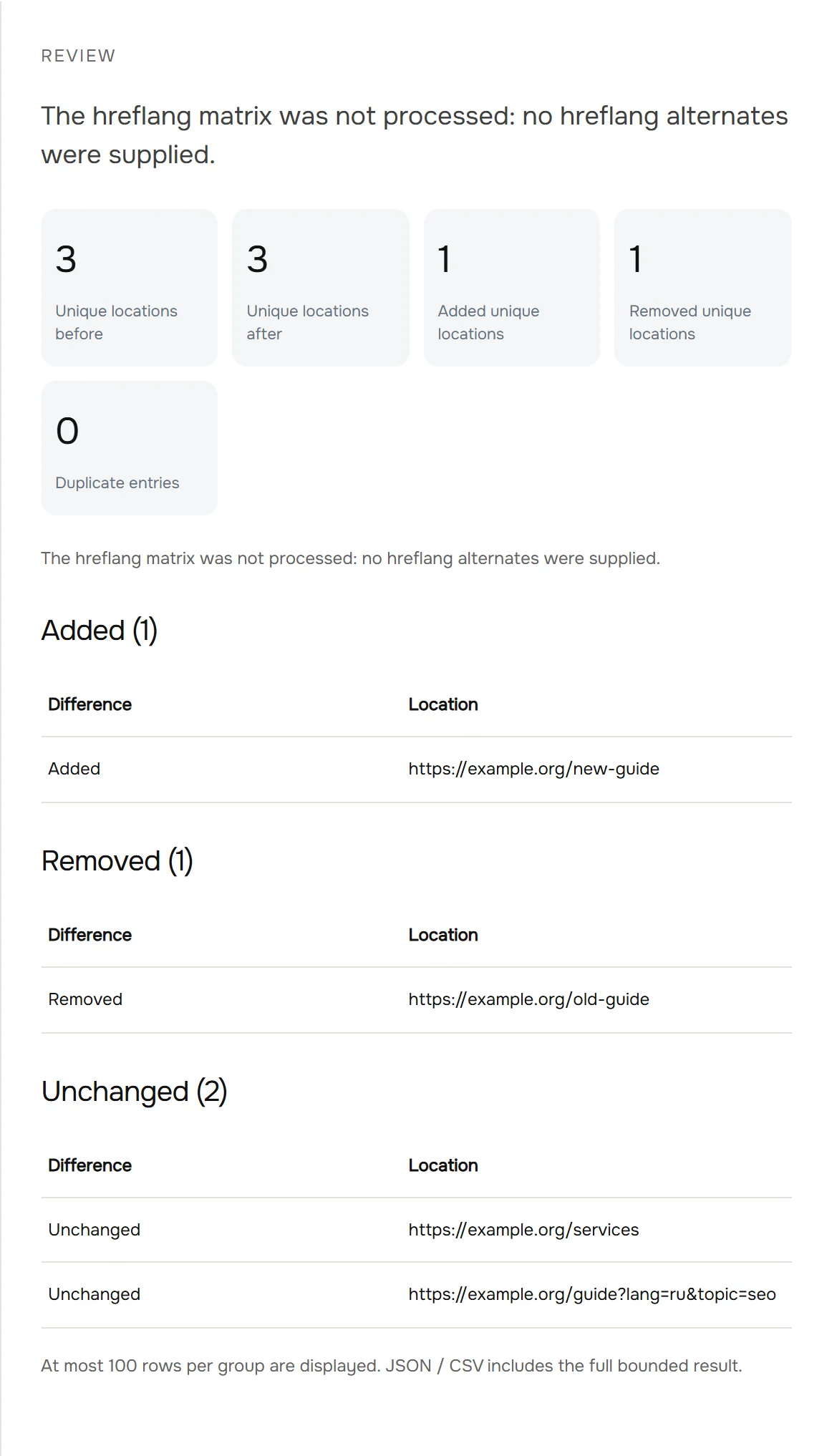
The tool compares XML-decoded, trimmed loc values. In the example data, the before sitemap contains three URLs and the after sitemap also contains three URLs. That does not mean nothing changed.
Here is the key change pattern:
| Bucket | Count |
|---|---|
| Added | 1 |
| Removed | 1 |
| Unchanged | 2 |
The exact XML source is compared as URL locations, not as a visual screenshot. The query-string example stays a valid URL location:
<loc>https://example.org/guide?lang=ru&topic=seo</loc>
That value is XML-decoded to https://example.org/guide?lang=ru&topic=seo. The comparison is about exact loc strings after XML decoding and trimming, not about stripping query strings.
In this example, the before file contains https://example.org/old-guide and the after file contains https://example.org/new-guide. The shared URLs are https://example.org/services and https://example.org/guide?lang=ru&topic=seo.
The visible page-count symmetry is easy to misread. A single XML file has no pair, so you need a before file and an after file to make a comparison at all. One sitemap alone can only give inventory, not a change diff.
Run the comparison and save the evidence
- Paste the BEFORE XML into the first textarea.
- Paste the AFTER XML into the second textarea.
- Run the comparison.
- Review the added, removed, and unchanged location lists.
- Export the report and keep it with the release record.
Keep the pre-change XML and export the post-change XML after deployment. Use the same scope, such as the same child sitemap, so a difference does not merely reflect a different selection.
If the changed URL needs a redirect review, use the redirect checker as a separate step: redirect chain checker.
A practical release checklist is simple:
- Confirm the URL inventory in the before and after files.
- Check each changed URL’s purpose.
- Check real HTTP, redirect, and canonical behavior separately.
- Export the same files again if the release changes.
- Keep the comparison report with the release notes.
Read the added and removed locations
The report shows an exact diff of the location list:
- Added:
https://example.org/new-guide - Removed:
https://example.org/old-guide - Unchanged:
https://example.org/servicesandhttps://example.org/guide?lang=ru&topic=seo
That is why the exact count pattern matters: 1 added, 1 removed, 2 unchanged. A matching total count does not mean the lists are identical.
The report also shows that the matrix was not processed: ok: false, status: not-processed, reason: no-hreflang-alternates. That is not a validation error in the XML comparison itself; it simply means no hreflang alternates were provided, so the hreflang matrix was not processed.
Also note what was not measured: no URL fetching, no redirects, no content comparison, no canonical check, and no indexing check. The tool compares exact XML-decoded loc strings only. It also does not fetch child sitemap files from a sitemap index, because sitemap indexes hold child sitemap references, not page URLs.
Use the comparison output as a change inventory, not as proof that a URL has been deleted, indexed, or redirected. Removing a URL from the sitemap list does not prove a 404, deletion, or deindexing. Adding a URL does not prove indexing.
Choose the next check from the URL’s purpose
This comparison is intentionally narrow. It does not infer website state beyond the two XML files you provide.
- One XML file alone is only an inventory.
- A sitemap index is not the same as a page-URL list.
- The tool does not fetch child sitemap files.
- The tool does not measure HTTP status, redirect chains, canonical tags, or indexing.
- Zero hreflang findings here means the hreflang matrix was not processed, not that the site is flawless.
For technical SEO support around sitemap, redirects, and release checks, see technical SEO services.
Questions about sitemap differences
Does a URL disappearing from the sitemap mean it is deleted?
No. A removed location only means it is no longer present in the sitemap comparison. It does not prove deletion, a 404, or deindexing. Check the page directly and review redirects separately if the change matters.
How should I handle a sitemap index?
A sitemap index lists child sitemap references rather than page URLs. This workflow does not fetch child files automatically, so compare matching child sitemap XML files directly if that is the case.
If the counts are the same, is nothing changed?
No. The example has three URLs before and three URLs after, yet one URL was removed and one was added. Same count can still hide a changed URL set.
Should I assume a removed URL needs a 301 redirect?
No. Review the removed URL’s purpose and live behavior first. A redirect may be appropriate, but it is not automatic for every removed sitemap entry.
Can I treat this report as proof of indexing?
No. A sitemap can help discovery, but it does not guarantee crawling or indexing.
If the loc lists match, check modification timestamps separately with Which lastmod date format should a sitemap use?.
If an entire Nuxt route group is missing, verify the published URL source using How to add dynamic Nuxt routes to an XML sitemap.
Need help with your website?
Development and SEO services →